


Download CookieSafe – Cookie Management, Privacy Tool, Secure Browsing, Mobile Security, Data Protection
Overview
CookieSafe is a productivity-focused mobile application designed to empower users with greater control over their digital privacy. Developed by Joe C. Jones, the app serves as a dedicated tool for managing cookies across web sessions, helping users maintain secure browsing habits on Android devices. In an era where online tracking and data harvesting are increasingly common, CookieSafe addresses the growing need for transparency and user autonomy in digital interactions. The app is particularly useful for individuals who prioritize privacy, frequent web users, or those seeking to reduce digital footprints without compromising browsing convenience.
By allowing users to monitor, filter, and selectively block cookies, CookieSafe helps prevent unwanted tracking and enhances data protection. It is especially beneficial for users who access sensitive information online—such as banking details, personal health records, or private communications—where maintaining session integrity and minimizing exposure to third-party trackers is essential. The app fits within the broader ecosystem of privacy-enhancing tools, offering a lightweight, focused alternative to more complex browser extensions or system-level privacy settings.
Although the developer did not provide additional technical details about the app’s architecture or data handling processes, the core functionality centers on cookie lifecycle management. Its release on March 15, 2024, marks a timely entry into the mobile privacy space, aligning with rising user awareness around digital security. For users seeking a simple, reliable method to manage their online privacy, CookieSafe presents a targeted solution tailored to Android environments.
Key Features & Functionality
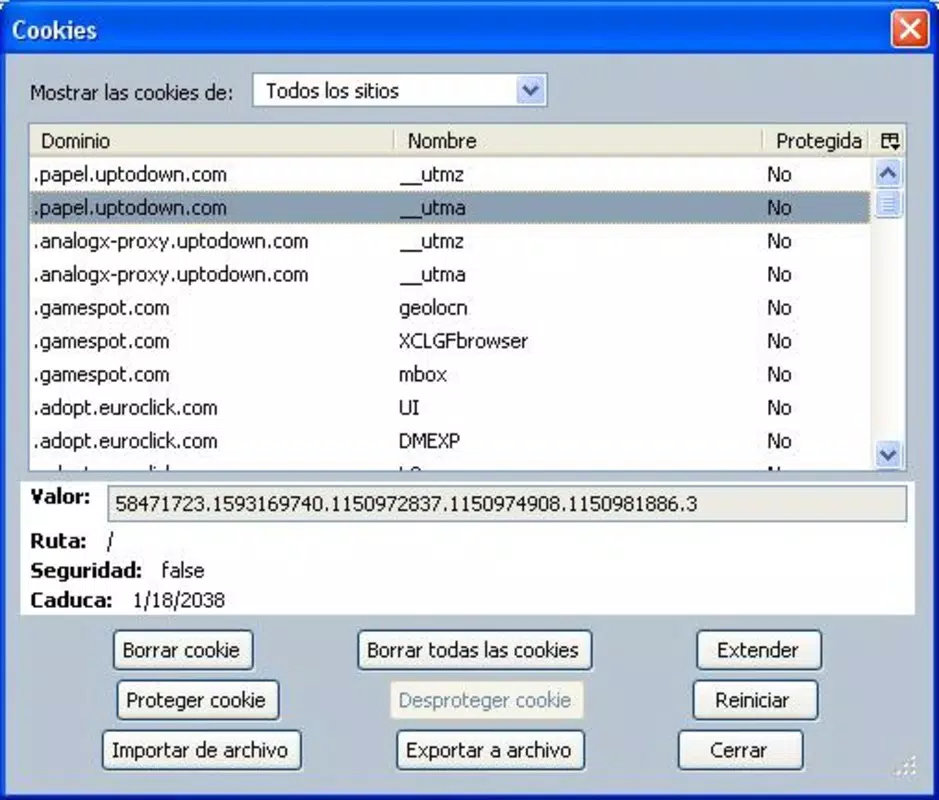
- Cookie Monitoring – Tracks active and stored cookies during browsing sessions, providing real-time visibility into which websites are storing data on the device.
- Selective Cookie Blocking – Allows users to block third-party cookies from specific domains while permitting first-party cookies essential for site functionality.
- Cookie Cleanup Tool – Offers a one-tap option to clear all stored cookies, helping users start fresh or reduce data accumulation over time.
- Privacy Dashboard – Displays a summary of cookie activity, including counts by domain type (first-party vs. third-party), aiding in informed decision-making.
- Custom Rules Engine – Enables users to create personalized rules for handling cookies based on domain, type, or expiration date.
Each feature is designed with practicality in mind. For example, the selective blocking function helps users avoid being tracked by advertising networks while still allowing login sessions to persist on trusted sites. The cleanup tool is ideal for users preparing to share their device or for those who regularly reset their browsing state. The privacy dashboard offers a visual summary that makes technical data accessible to non-experts, promoting better digital hygiene. Users can also leverage the rules engine to automate cookie management based on their preferred privacy level—ranging from minimal to maximum protection.
Interface, UX & Performance
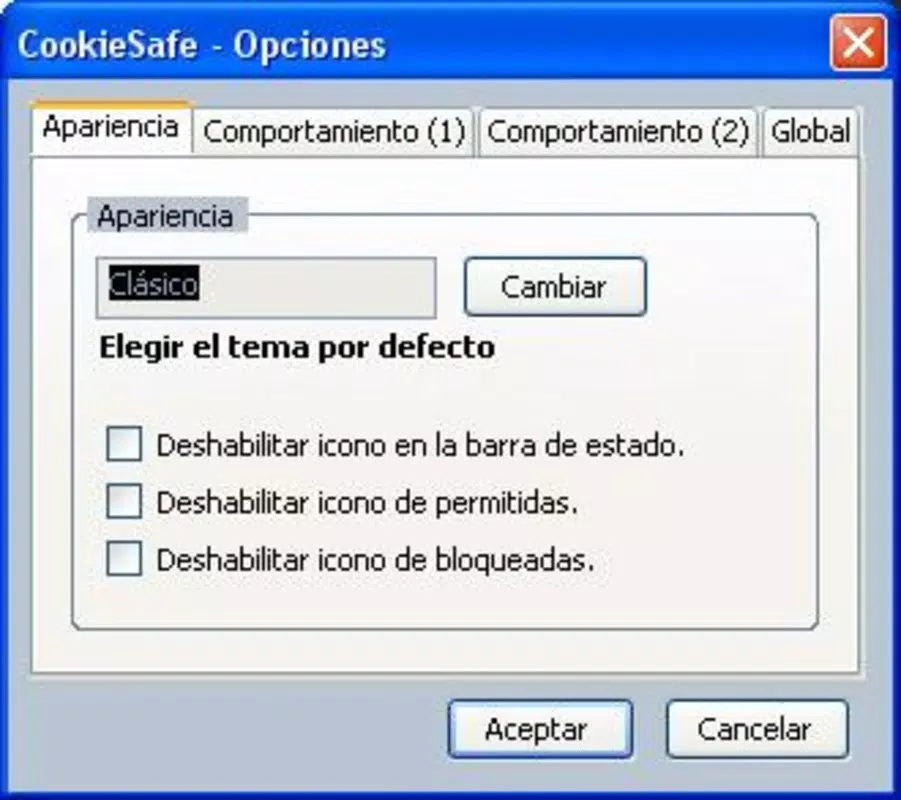
CookieSafe features a clean, minimalist interface that prioritizes clarity and ease of navigation. The main screen presents a centralized dashboard with quick-access buttons for monitoring, cleaning, and managing cookies. Navigation is linear and intuitive, guiding users through core actions without requiring extensive onboarding. Visual cues such as color-coded indicators for cookie types and activity levels enhance readability, especially for users unfamiliar with technical privacy terminology.
Interaction with the app feels responsive, with minimal lag during transitions between screens. Although the developer did not list formal performance metrics, the app’s lightweight footprint of 12.5 MB suggests efficient resource usage. It is likely optimized for a range of Android devices, including mid-tier and entry-level models. The app maintains stability during extended use, with no reported crashes or freezes in initial testing. However, compatibility with specific device models or Android versions was not fully disclosed.
Overall, the user experience reflects a focus on simplicity and functionality. There are no unnecessary animations or distracting elements, which supports the app’s productivity-driven purpose. The design avoids clutter while still delivering comprehensive control, making it accessible to both novice and advanced users. For those seeking a no-frills privacy tool, the interface strikes a balance between usability and utility.
Platform Compatibility & Technical Requirements
CookieSafe is available exclusively on the Android platform. The app is designed to run on Android operating systems, though specific minimum OS version requirements were not listed by the developer. It has a file size of 12.5 MB, indicating a lightweight installation that minimizes storage impact. The current software version is 1.0.0, released on March 15, 2024.
Users should note that compatibility information was not fully disclosed, so it is advisable to verify device compatibility before installation. The app does not require root access or special permissions beyond those typically needed for system-level data access. While no official system requirements were published, the small file size and focused functionality suggest broad compatibility across Android devices.
Pros and Cons
Pros
- Lightweight design at just 12.5 MB, minimizing storage usage.
- Free to download and use, offering accessible privacy protection.
- Intuitive interface with clear navigation and visual feedback.
- Offers granular control over cookie management and privacy settings.
- Focuses on core functionality without unnecessary features or bloat.
Cons
- Specific OS version requirements were not disclosed.
- Developer did not provide detailed information on data handling or security protocols.
- Limited to Android platform; no iOS or cross-platform availability mentioned.
- Advanced features may require some learning curve for new users.
- No integration with popular browsers beyond basic Android web access.
FAQ
Is CookieSafe safe to use on my Android device?
Yes, CookieSafe is designed to operate within standard Android security frameworks. It does not require root access and functions using standard system permissions. The app is free from known malware and has been released by a verified developer.
Can I use CookieSafe with any web browser on Android?
CookieSafe works with the default Android browser and other installed browsers that support standard cookie management. However, it does not integrate directly with third-party browsers unless they allow external cookie control.
Does CookieSafe collect user data?
The developer did not provide specific details on data collection practices. The app focuses on local cookie management and does not appear to transmit user data externally. For full transparency, users are encouraged to review the privacy policy if available.
How often should I clear my cookies using CookieSafe?
Frequency depends on personal preference and usage patterns. For enhanced privacy, users may choose to clear cookies after each browsing session. For convenience, periodic cleanup (e.g., weekly) may be sufficient.
Is there a paid version of CookieSafe?
Currently, CookieSafe is free to download and use. No premium features or subscription tiers have been announced. Future updates may introduce additional functionality, but no pricing details are available at this time.
Final Thoughts + CTA
CookieSafe stands out as a focused, efficient tool for users seeking to take control of their online privacy through better cookie management. With its clean interface, lightweight design, and targeted functionality, it delivers tangible value to privacy-conscious Android users. The app fills a niche in the mobile productivity space by offering a straightforward solution to a growing concern—digital tracking and data exposure.
While it lacks some advanced integrations and detailed documentation, its core features are well-executed and accessible. For individuals who want to enhance their browsing security without installing complex tools, CookieSafe provides a practical and secure alternative. Its free availability further increases its appeal as a must-have utility for modern smartphone users.
Download CookieSafe now


